Swipexy
Swipe to clean up

Swipe left to delete.
Right to keep.

Clean up your iPhone photo library one swipe at a time. Duplicates, screenshots, big videos, and a locked Secret Folder for the private stuff.

Download on theApp Store
  • Photos never leave your iPhone
  • No account
  • Free to try
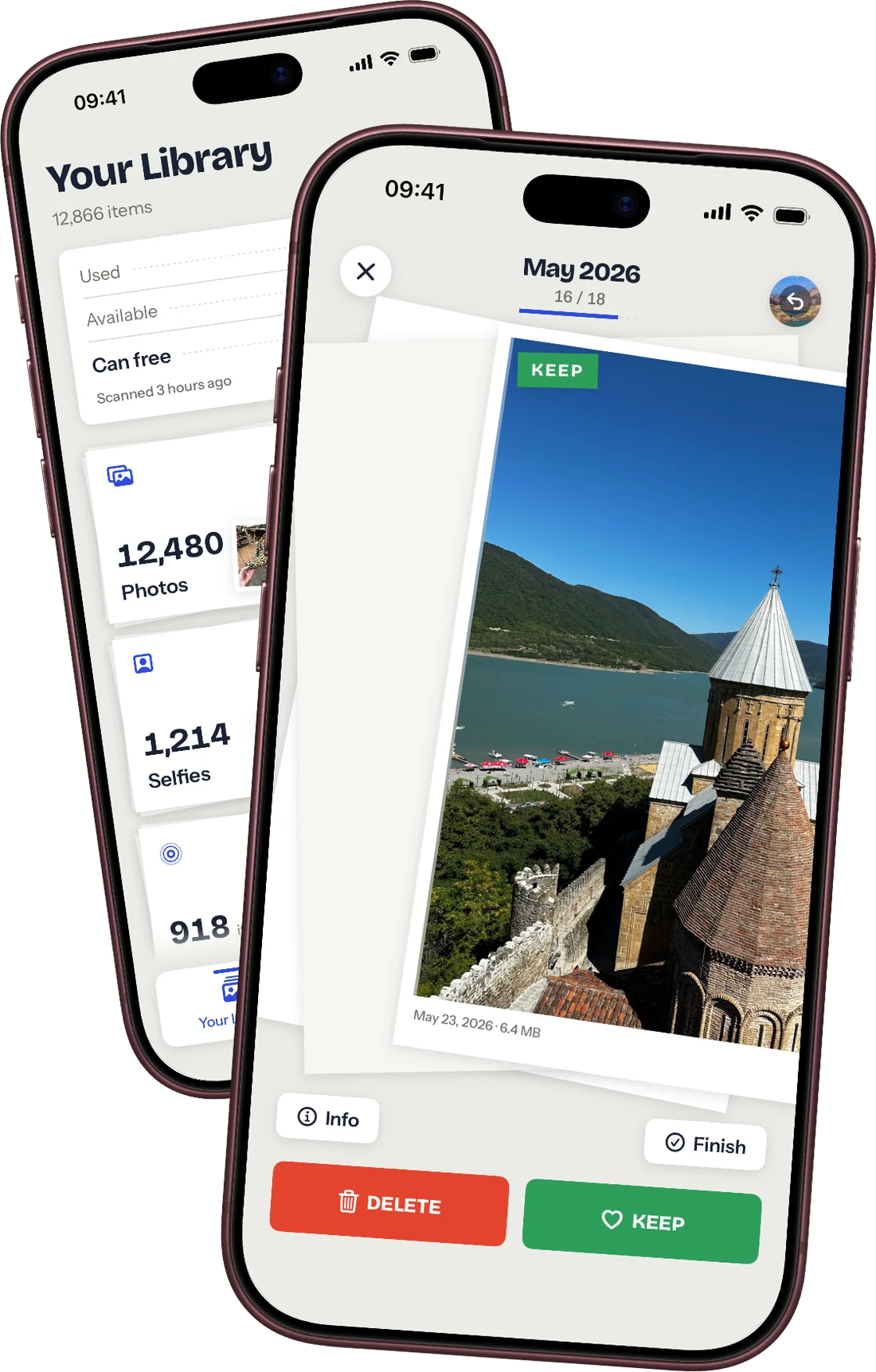
Swipexy on two iPhones: the library overview behind, a photo marked Keep in front
Try it here

Go on, give it a swipe.

This is the whole idea. Drag a print left to toss it, right to keep it. In the app it works the same way, on your own camera roll.

Mouse, finger, or ← → keys.

8 photos in this pile
Free up storage

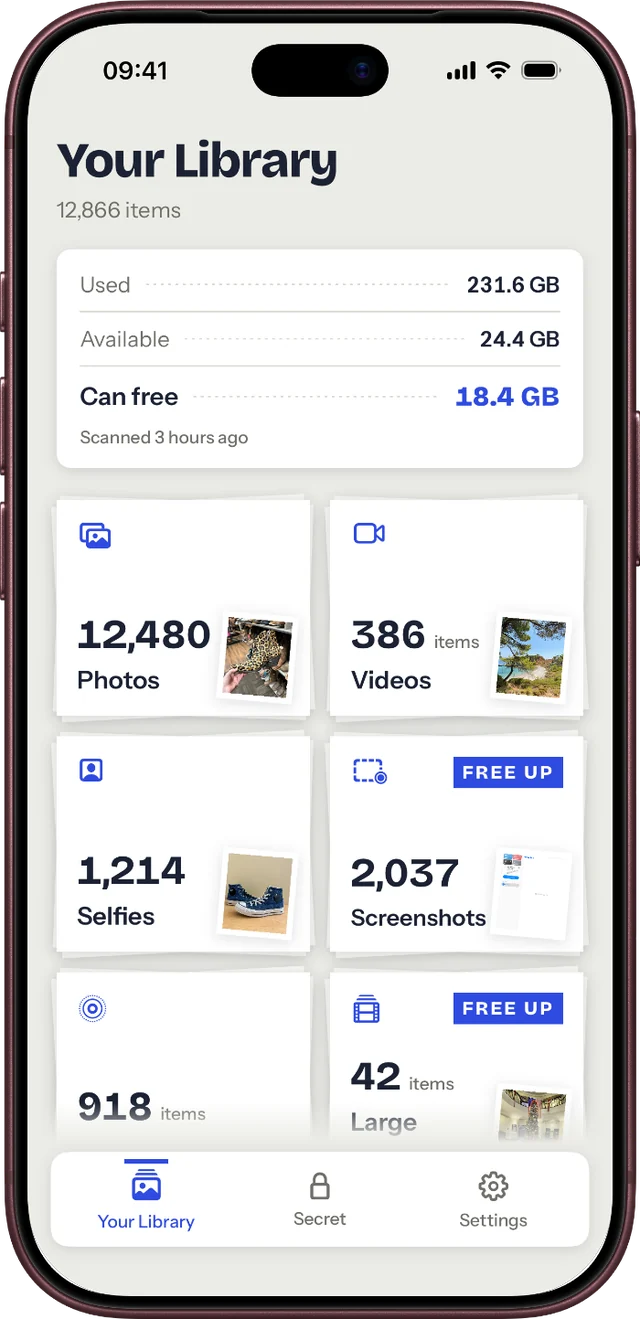
See what fills your storage.

One screen tells you how much space you can win back, and where it hides.

  • Photos, videos, selfies, screenshots, Live Photos and large files, counted for you
  • “Can free” shows the real number before you start
Your Library screen: used and available storage, 18.4 GB can be freed, piles for photos, videos, selfies and screenshots
Duplicate finder

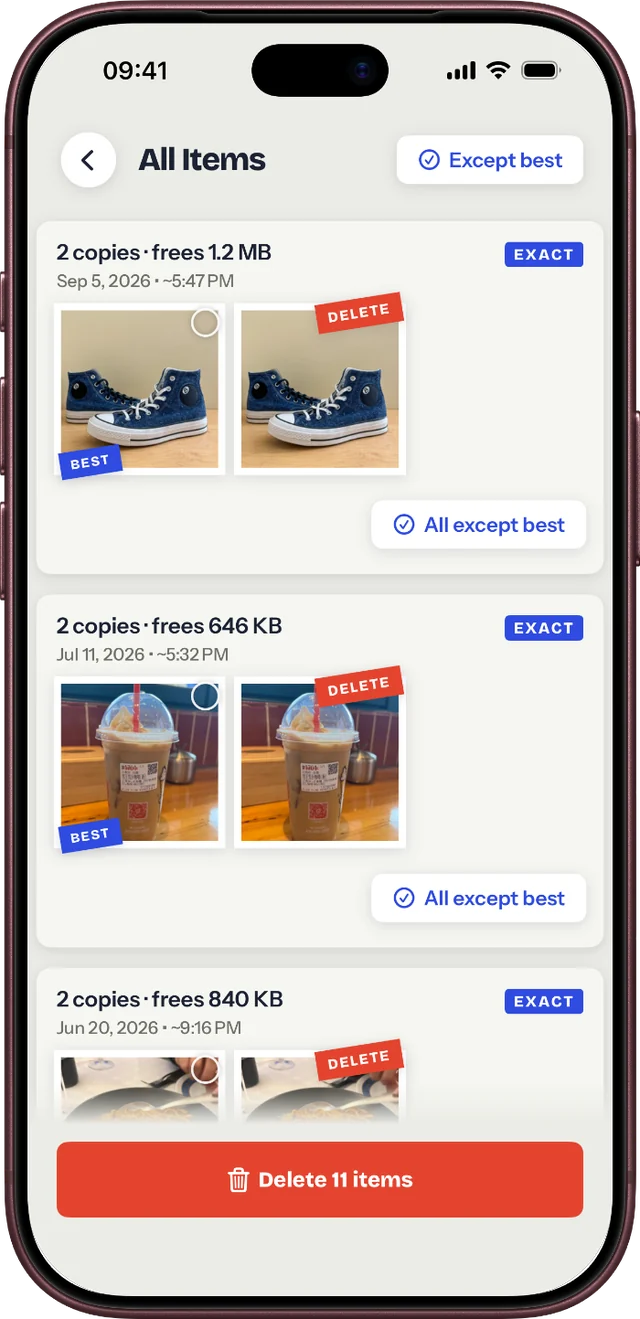
Find duplicates. Keep the best one.

Exact copies and near-identical shots are grouped, with the sharpest one already picked.

  • Clear a whole group with “All except best”
  • Matching runs on your iPhone, not on a server
Duplicates screen: groups of two copies with the best one marked and the rest tagged Delete
Nothing by accident

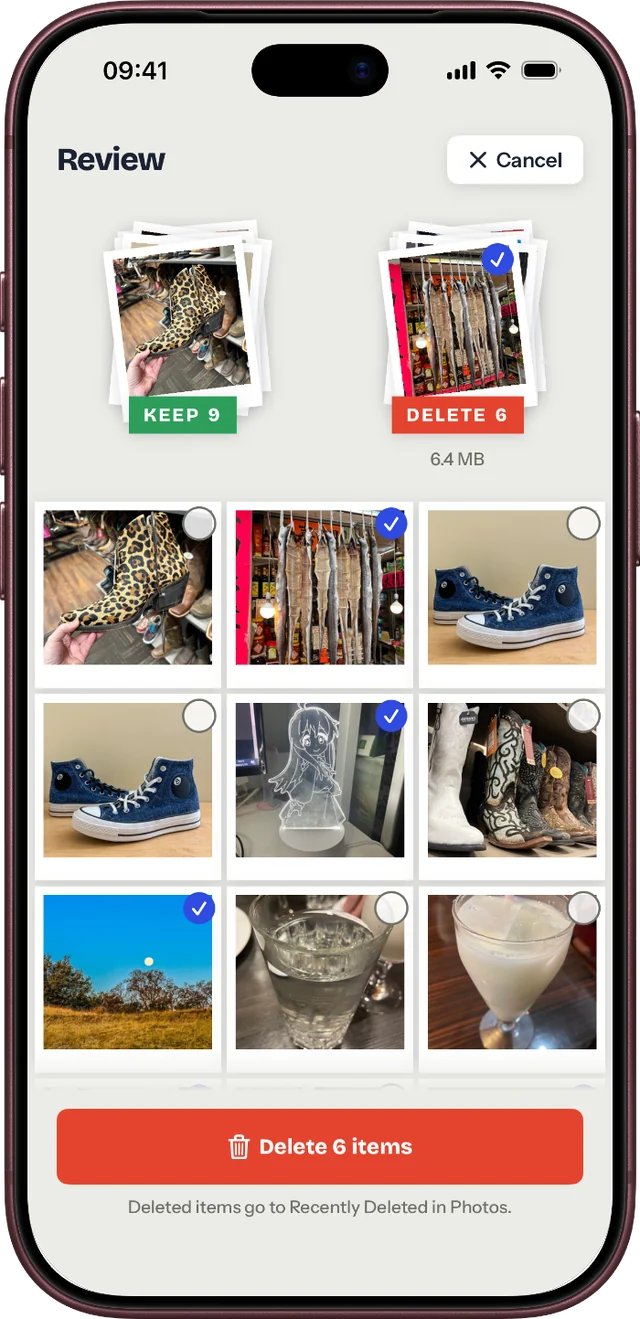
Check everything before deleting.

Swipes are only decisions. Nothing is removed until you review the pile and confirm.

  • Change your mind on any photo in the review grid
  • Deleted items go to Recently Deleted in Photos for 30 days
Review screen: nine kept and six to delete, with a grid of photos and a Delete 6 items button
Secret Folder

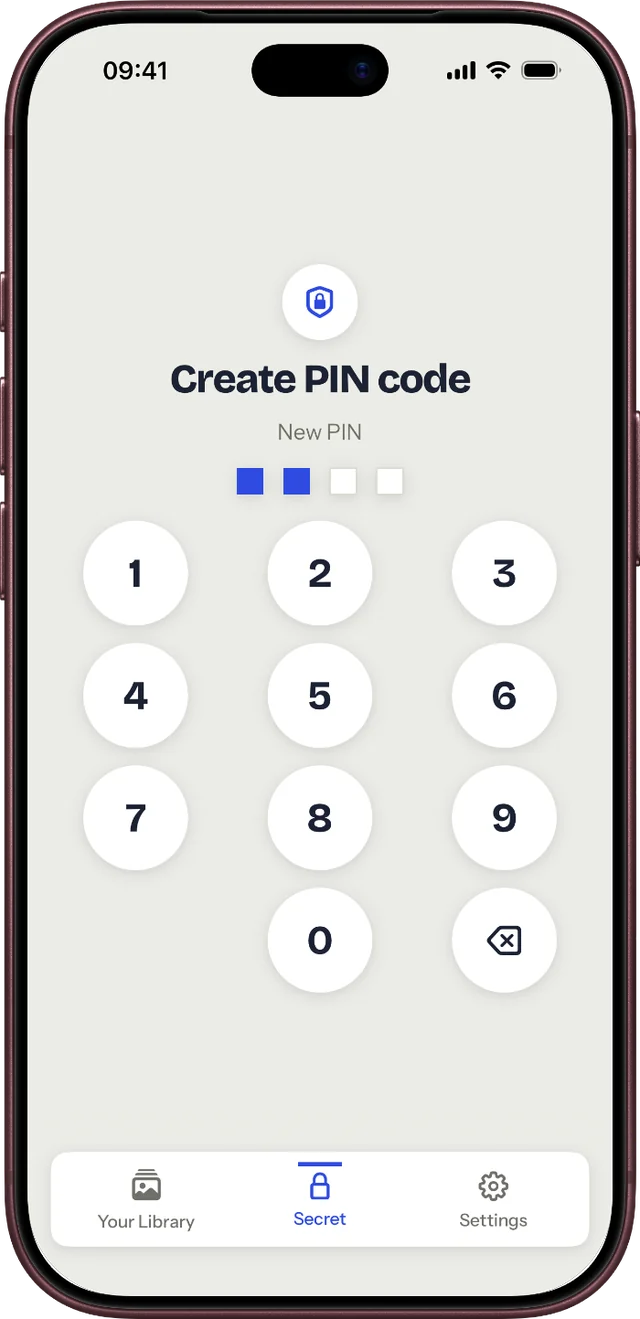
Hide private photos behind a PIN.

Move personal photos and videos out of your library into a folder only you can open.

  • PIN, Face ID or Touch ID
  • Stays out of your library and out of iCloud backups
Secret Folder: Create PIN code keypad
Private by design

Your photos stay yours.

Swipexy has no servers that see your library. Read the privacy policy.

Analysed on your iPhoneDuplicates, captions and sorting all run on the device.
No accountNo sign-up, no email, no login. Open it and start swiping.
No ads, no trackingNothing follows you across other apps or websites.
Pricing

Start free. Go Premium when it clicks.

Swipe through as much as you like. Premium removes the daily limit.

Free

Forever

  • Browse and swipe your whole library
  • Delete 20 items a day
  • Storage overview and piles
3-day trial

Premium

Weekly or yearly

  • Unlimited deletions
  • Bulk removal of duplicates and similar photos
  • Secret Folder with PIN and Face ID

Billed through your Apple ID. Cancel any time in Settings → your name → Subscriptions.

FAQ

Questions, answered.

Something else? Write to support@atvrd.dev.

Are my photos uploaded anywhere?

No. Swipexy reads your library on the device and never sends photos or videos to us or anyone else. Duplicate detection and captions run on your iPhone.

What happens when I delete something?

You confirm in the review screen, then iOS moves the items to Recently Deleted in the Photos app. They stay there for about 30 days, so you can still bring them back.

I use iCloud Photos. Does deleting sync?

Yes. Swipexy deletes through Photos, exactly like the Photos app does, so a deletion reaches every device signed in to the same iCloud Photos library.

What do I get for free?

You can browse and swipe through everything and delete 20 items a day. Premium lifts the limit and unlocks bulk duplicate removal and the Secret Folder.

How do I cancel Premium?

Open Settings on your iPhone, tap your name, then Subscriptions, and choose Swipexy. Deleting the app does not cancel the subscription.

What if I forget my Secret Folder PIN?

If Face ID or Touch ID is off too, there is no way to reset it: the folder is only on your device and we cannot open it. Pick a PIN you will remember.

Your camera roll, finally sorted.

Ten minutes of swiping on the couch. Gigabytes back.

Download on theApp Store